

M-commerce vs e-commerce is a practical question for small business owners selling online: optimize for mobile commerce, or for traditional e-commerce on desktop and laptop computers? The answer shapes checkout design and marketing spend. Mobile shoppers browse in shorter bursts and convert less often per session, but show up in far greater numbers; desktop users research longer, tolerate more complex forms, and tend to place higher-value orders.
The short answer: Most small businesses need both channels, but priority depends on your target audience and what you sell. If your products are under $100 and your audience skews under 45, a mobile-first strategy captures more online sales. If you sell high-ticket items, enterprise software, or business-to-business services, desktop optimization protects your highest-converting traffic. Responsive design is the baseline; mobile optimization on top of it is non-negotiable.
What Is E-Commerce?
Electronic commerce means buying and selling goods and services through internet-connected devices, historically centered on desktop and laptop computers. It emerged in the 1990s and has grown into a multitrillion-dollar industry built on secure payment gateways and credit card processing.
E-commerce on stationary devices has several concrete strengths. It supports dense information and multicolumn layouts, letting customers compare products side by side. It also produces longer, more deliberate shopping sessions: desktop sessions in ecommerce contexts tend to run meaningfully longer than mobile sessions, since shoppers are less likely to be interrupted and more willing to read through detail. Conversion rates tend to run higher on desktop than mobile across most ecommerce contexts, even though mobile drives the bulk of traffic. And complex checkout flows involving multiple shipping addresses or invoice terms work more smoothly with a full keyboard and a large screen. See our collection of ecommerce guides and strategies for more on these dynamics.
What Is M-Commerce?
Mobile commerce is the subset of online transactions completed on mobile devices, mainly smartphones and tablets, through mobile websites or dedicated apps built for small screens and touch interaction.
M-commerce offers several distinct advantages. Consumers can shop anywhere, anytime: the vast majority of Americans now own a smartphone, up from about 35% in 2011 (Pew Research), making mobile the most common path to online shopping for many people. M-commerce can also use GPS for location-based marketing, tying promotions to a shopper’s physical location in a way desktop e-commerce cannot easily replicate. It often integrates digital wallets for one-tap checkout, cutting the friction that causes cart abandonment, and it uses push notifications to drive engagement, which commonly outperform email in open rates.
U.S. mobile commerce sales were estimated at roughly $400+ billion in 2022 and have continued to grow since (eMarketer).
M-Commerce vs E-Commerce: Key Differences at a Glance
Factor | M-Commerce (Mobile) | E-Commerce (Desktop) |
|---|---|---|
Best for | Impulse purchases, repeat business, B2C under $100 | Complex purchases, high-ticket items, B2B research |
Average session length | Shorter than desktop, on average | Longer than mobile, on average |
Conversion rates | Lower than desktop across most ecommerce benchmarks | Higher than mobile across most ecommerce benchmarks |
Traffic share | Majority of sessions in most ecommerce stores | Minority of sessions, but higher average value |
Payment methods | Digital wallets (Apple Pay, Google Pay), biometric authentication, contactless payments | Manual card entry, bank transfers, invoice terms |
Primary use cases | Discovery, impulse buying, location-based offers | Product research, comparison, high-value checkout |
Device usage drives fundamentally different shopping behaviors: mobile captures volume, desktop captures value.
M-Commerce vs E-Commerce: User Experience and Design Requirements
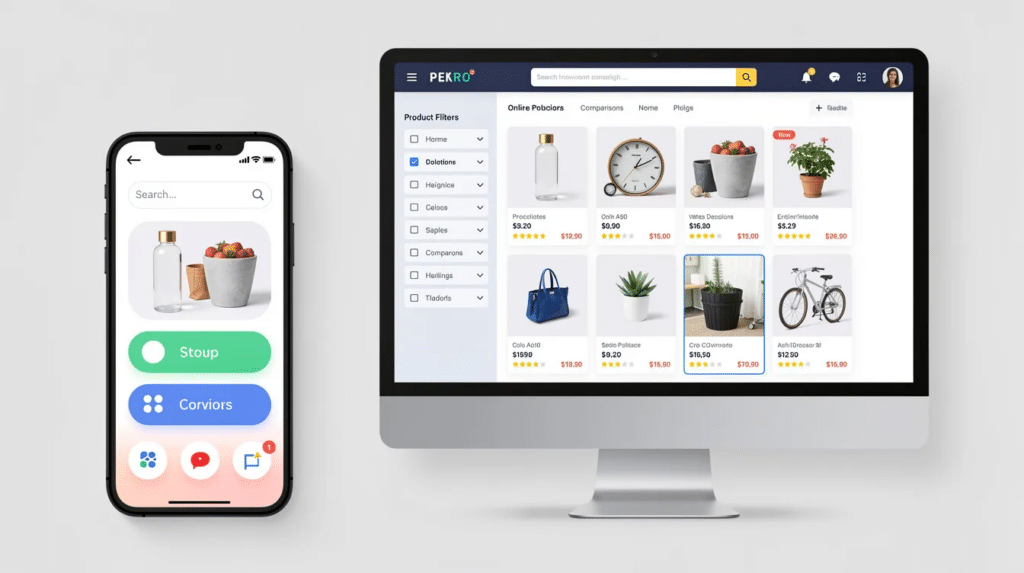
The gap between mobile and desktop conversion rates in the m-commerce vs e-commerce comparison traces back to UX constraints, not a lack of buyer interest. Smaller screens on mobile devices limit how much information mobile commerce can present at once, while desktop e-commerce supports dense, multicolumn layouts that let buyers evaluate products in depth.
On a desktop computer, shoppers see sidebars, filter panels, hover states, and comparison grids without scrolling. M-commerce prioritizes vertical scrolling and touch interaction instead: navigation menus collapse, touch targets need to be thumb-sized, and desktop-friendly form fields create friction on mobile because virtual keyboards obscure half the screen.
Progressive web apps can improve the mobile experience with app-like speed and offline capability, no download required. Businesses that invest in a fast, simplified mobile experience narrow the conversion gap with desktop; those that skip it see mobile conversion lag further behind. Getting the underlying site design right is often the first step; our guide to top ecommerce website design solutions to boost sales covers practical starting points.
Winner: It depends on the task. Mobile wins for accessibility, convenience, and reaching customers during idle moments. Desktop wins for detailed product evaluation, where its layout supports complex purchases requiring more interaction. Mobile sacrifices information depth for speed; desktop sacrifices portability for thoroughness.
M-Commerce vs E-Commerce: Payment Methods and Checkout Flow
Payment friction is the single largest controllable cause of cart abandonment. Cart abandonment runs meaningfully higher on mobile than desktop across most benchmarks; commonly cited industry figures put overall abandonment above 70%, with mobile running several points higher than desktop. Manual card entry works fine with a full keyboard, but typing a 16-digit card number on the small touchscreens common to mobile devices causes errors and drop-offs.
Mobile payment options, including Apple Pay and Google Pay wallets, have grown substantially in recent years, making one-tap checkout an increasingly standard expectation. One-click checkout via mobile wallets is also meaningfully faster than manual card entry, since it eliminates repetitive typing on a small keyboard. Integrated biometric authentication adds another layer, replacing typed passwords with fingerprint or face recognition.
Desktop still offers more payment variety: credit cards, bank transfers, checks for B2B, and invoice terms. But more options mean more form fields, and more form fields mean more friction.
Winner: Mobile. Mobile wallet integration delivers faster transactions and lower abandonment. The trade-off: desktop supports a wider range of payment methods, which matters for business-to-business transactions or international buyers without mobile wallets.
M-Commerce vs E-Commerce: Session Behavior and Purchase Intent
Desktop sessions tend to be research sessions. Desktop shoppers typically spend considerably longer evaluating a product before clicking “Add to Cart” than mobile shoppers, often opening multiple tabs, reading specifications, and scrolling through reviews. Mobile sessions are shorter and more frequent, and the convenience of the device can lead to more impulsive spending; m-commerce supports quick searches and spur-of-the-moment purchases.
This cross-device pattern reflects broader customer behavior: a customer may discover a product on mobile during a commute and buy on desktop that evening, so cart and account data need to sync across channels.
Average order values reflect this split: desktop orders tend to skew toward higher-price products, while mobile orders cluster at lower price points, consistent with mobile users browsing more casually and desktop users arriving with higher purchase intent. Mobile apps also tend to convert better than mobile websites for repeat customers, largely because app users are already registered, have saved payment credentials, and receive personalized content.
Winner: Desktop wins for high-value and B2B sales. Mobile wins for quick B2C transactions. Mobile captures far more traffic, but desktop closes larger deals at a higher conversion rate.
M-Commerce vs E-Commerce: Marketing Capabilities and Customer Data
Desktop and mobile generate different behavioral data, and each supports different marketing channels.
Desktop environments deliver full browser analytics: session path tracking, form abandonment points, hover and scroll depth, multi-tab behavior. Email campaigns also tend to convert well when opened on desktop, where users can complete a purchase without switching devices.
Mobile devices add data layers desktop cannot access. M-commerce lets businesses reach consumers around the clock regardless of location, and GPS data powers location-based marketing, such as serving a coupon when a customer walks near a store. Push notifications drive real-time engagement at rates that commonly beat email open rates, and in-app tracking captures touch events and feature usage that browser analytics miss.
Demographic adoption shapes the channel mix too: mobile wallet adoption skews younger, with Gen Z and Millennials adopting at notably higher rates than older generations, according to surveys such as those from LendingTree. Adoption drops off for Gen X and Boomers, who lean more toward desktop email and web browsing. Social media platforms also drive mobile traffic disproportionately, since ads there typically land users on the mobile version of a store.
Winner: Mobile wins for real-time engagement and location tracking. Desktop provides deeper session analytics for understanding complex purchase paths. Mobile behavioral data is richer but fragmented across apps and browsers; desktop analytics are more consolidated but lack location and sensor inputs.
M-Commerce vs E-Commerce: Which Should You Choose?
Choose a mobile-first approach if your audience is under 45, your products are consumable or impulse-friendly, your average order value sits under $100, or you rely on repeat business from loyal customers who use a mobile app with saved payment details.
Choose a desktop-focused approach if you sell complex B2B products, high-ticket items that require detailed specifications, or enterprise software with a buying cycle involving multiple stakeholders. This also applies if your customer base skews older and prefers desktop or laptop computers for online shopping.
A balanced strategy for m-commerce vs e-commerce usually incorporates both. Responsive design is the minimum: mobile traffic accounts for 70-86% of sessions across many ecommerce stores, so ignoring mobile optimization means losing most visitors before they reach checkout. At the same time, desktop users convert at roughly 1.5 to 1.7 times the rate of mobile users, so neglecting desktop UX cuts into your highest-value channel. Whatever mix you land on, the underlying site needs to support it; reviewing the key features of ecommerce websites is a useful next step.
The practical sequence for most small businesses: build a responsive site first, optimize the mobile version for speed and simplified checkout with digital wallets, and only add a dedicated mobile app once repeat-customer volume justifies the cost.
Actionable Checklist for Improving Mobile Shopping
A few concrete steps turn this m-commerce vs e-commerce comparison into action:
Split analytics by device first, so mobile and desktop performance are measured separately.
Benchmark mobile page speed on its own, since slow load times cost mobile sales fastest.
Enable at least one mobile wallet, such as Apple Pay or Google Pay, so returning customers can check out in a few clicks.
Simplify navigation and touch targets on mobile devices so core actions take one thumb.
Show shipping cost, delivery timing, and return policy before checkout begins, and add address autocomplete to cut entry errors.
Review fraud rules for mobile transactions separately, since mobile security issues and card-not-present patterns differ from desktop.
Emerging Trends to Monitor
As mobile technology evolves, a few directional shifts are worth watching, without overcommitting to specifics:
Progressive web apps continue narrowing the gap between a mobile website and a native app.
Mobile wallets and biometric checkout are moving from differentiator to baseline expectation.
Social commerce, buying directly within social media platforms, is a growing mobile-first path to purchase.
Location-based promotions are likely to expand as GPS tools become more accessible to small businesses.
Frequently Asked Questions
Do I need separate mobile and desktop websites?
No. Responsive design serves both audiences from one codebase, reducing development costs, and adapts layout, navigation, and image sizes to screen width. Features specific to mobile devices, like click-to-call buttons and GPS-based store locators, need extra development but sit within the same architecture; GPS-based promotions only work on handheld devices with location permissions enabled.
How do conversion rates differ between mobile and desktop?
Desktop typically converts at a meaningfully higher rate than mobile across most ecommerce benchmarks, while mobile drives far more overall traffic, commonly cited as several times the volume in many stores. The practical result: mobile generates more total purchases from sheer volume even at a lower conversion rate, while desktop generates higher revenue per session. In many industries, users discover products through mobile browsing and complete the purchase on desktop.
Should small businesses invest in mobile apps or focus on mobile websites?
Start with a mobile-optimized website, since it reaches all mobile users through any browser without a download. Mobile apps make more financial sense once you have a base of repeat customers, since apps with saved payment credentials and personalized content tend to convert meaningfully better for those buyers than a mobile website. Loyalty programs, in-app purchases, and voice shopping through smart assistants can justify app investment once repeat-customer volume supports it. Progressive web apps offer an intermediate step: app-like performance with website accessibility and no app-store listing required.
