

Email marketing vs marketing automation is a common choice because both email marketing tools and marketing automation platforms send emails, but they solve different problems. A business sending a weekly newsletter to 800 subscribers needs different software than one running behavior-triggered sequences across email, SMS, and web push for 15,000 contacts. This comparison breaks down the concrete differences in features, cost, and complexity so you can pick the right tool for where your business is today.
The single biggest difference: email marketing focuses on sending planned email campaigns to a list. Marketing automation manages multi-channel customer journeys triggered by user behavior.
The short answer: Most small businesses should start with email marketing tools. They cost less ($12 to $20/month for 500 contacts), take hours to set up, and handle newsletters, promotions, and simple automated email sequences well. Move to marketing automation platforms when you need lead scoring, behavioral triggers across multiple channels, or CRM-integrated workflows. That threshold typically arrives around 10,000 active contacts or when email drives more than 15% of your revenue.
What Is Email Marketing?
Email marketing is the practice of sending commercial messages via email to subscribers who have opted into a list. The software behind it handles four core tasks: designing and sending email campaigns, managing subscriber lists, running basic automation features like welcome emails and drip campaigns, and tracking performance through open rates, click through rates, and unsubscribe counts. Businesses building out a full email marketing strategy typically start with these fundamentals before layering on automation. Email marketing has an average ROI of $36 for every $1 spent, which makes it highly cost-effective for businesses of all sizes. Its primary objective is immediate distribution and brand visibility.
What Is Marketing Automation?
Marketing automation uses software to manage behavior-driven workflows across the customer lifecycle. Instead of broadcasting the same message to a full list, marketing automation platforms trigger actions based on user behavior: a page visit, a cart abandonment, a form submission, a purchase. The defining strengths are lead scoring (assigning numerical values to contacts based on engagement), behavioral data tracking across web, app, and email, multi-channel workflows spanning email, SMS, and web personalization, and CRM integration that aligns marketing and sales teams. For a broader look at how these systems fit together, see our guide to optimizing CRM and marketing automation for SMB growth; this article focuses specifically on the email side of that comparison.
Email Marketing vs Marketing Automation: How They Compare at a Glance
Factor | Email Marketing | Marketing Automation |
|---|---|---|
Best for | Solopreneurs, early-stage businesses, simple campaigns | Businesses with longer sales cycles, multiple touchpoints, e-commerce or B2B with a sales team |
Starting price | ~$12 to $20/month for 500 contacts; free tiers common | Entry tiers overlap, but lead scoring, multi-channel workflows, and detailed analytics start at ~$300+/month |
Primary focus | Sending planned email campaigns and promotions | Orchestrating customer journeys via behavioral data and lifecycle stages |
Automation complexity | Linear sequences, 2 to 4 steps, time-based triggers | Branching workflows, conditional logic, goal tracking, exit conditions |
Data tracking | Opens, clicks, unsubscribes, campaign revenue | Full web tracking, purchase history, unified profiles, lead scoring, attribution |
Learning curve | Low; hours to first send | Moderate; days to weeks for workflow mapping, integration, and training |
In short, email marketing offers focused simplicity for one channel, while marketing automation orchestrates the customer journey across several.
Scope and Channel Management
A small business selling handmade candles online and promoting them only through a weekly email newsletter does not need SMS triggers or web push notifications. An e-commerce store running abandoned cart reminders by email, post-purchase follow-ups by SMS, and retargeting ads on social media does.
Email marketing focuses exclusively on the email inbox: targeted campaigns, scheduled broadcasts, and basic segmentation by demographics or tags. Some email marketing tools offer SMS as an add-on, but cross-channel coordination isn’t their design purpose. Marketing automation manages repetitive tasks across multiple channels using predefined logic: a single workflow can send a follow-up email, trigger an SMS if the email goes unopened, and update a CRM record, all from the same platform.
Email marketing is best for planned one-to-many communication. Marketing automation should be used when the message depends on customer actions across more than one channel.
Winner: Marketing automation for businesses needing multi-channel coordination; email marketing for businesses whose entire digital marketing strategy runs through the inbox.
Automation Complexity and Workflow Capabilities
Email marketing is typically a one-to-many broadcast model. You schedule a newsletter for Tuesday at 9 AM, and every subscriber gets it. Automated email marketing in these tools covers simple sequences: an automated welcome email when someone subscribes, a three-part drip campaign for new buyers, or birthday discount emails. The workflow is linear; there is no branching.
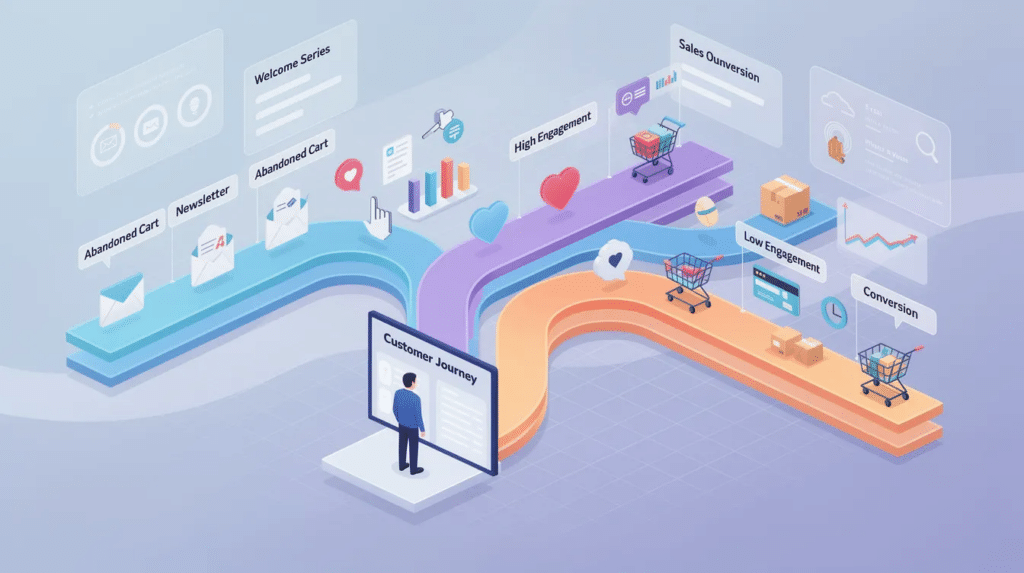
Marketing automation uses multi-branched logic instead. A workflow might start when a contact downloads a lead magnet, then branch based on whether they opened the first email or visited the pricing page within 48 hours: visit pricing twice without converting and the system raises that contact’s lead score and notifies sales; don’t engage at all and they enter a separate re-engagement campaign.
Email marketing relies on manual or calendar-based scheduling. Marketing automation triggers actions based on user behavior. In general, automated, behavior-triggered emails tend to convert better than generic blasts, because they reach people close to the moment they’ve shown interest rather than on a fixed calendar.
Winner: Marketing automation for complex customer journeys with conditional logic; email marketing for straightforward sequences where a linear flow is sufficient.
Data Tracking and Lead Intelligence
Email marketing software tracks what happens inside the inbox: open rates, click-through rates, unsubscribes, and, when linked to a store, revenue per campaign. These metrics tell you whether a subject line worked or which promotion drove clicks. They don’t tell you what a contact did on your website before or after reading the email.
Marketing automation platforms track cross-touchpoint behavior instead. They record web visits, app usage, purchase history, and form submissions, then compile that data into unified customer profiles. Dynamic segmentation sorts subscribers based on interactions and behaviors, updating automatically as contacts take new actions. Lead scoring assigns points based on this behavioral data, and when a contact crosses a threshold, the system can hand them to sales without manual intervention.
Imagine a B2B consultancy comparing the two approaches. Using traditional email marketing, they can see that 200 people opened their case study email. With marketing automation layered on top, they could also see which of those openers visited the pricing page, downloaded the services PDF, and crossed a lead-score threshold, turning a batch of opens into a short list of qualified leads routed to sales. Marketing automation aims for long-term customer journey mapping and lead nurturing; email marketing gives you campaign-level performance data.
Winner: Marketing automation for lead intelligence and sales alignment; email marketing when your decisions center on campaign performance alone.
Cost and Implementation Complexity
Basic email marketing plans for 500 contacts typically run $12 to $20/month, and several tools offer free tiers for lists under a few thousand contacts. Setup takes hours: import a list, pick a template, write copy, schedule, send. Non-technical staff can run campaigns the same day they sign up.
Marketing automation platforms overlap at entry tiers, but the features that separate automation from email marketing (lead scoring, multi-channel workflows, web tracking, CRM integration) typically start at $300/month or more depending on list size and channels. Implementation takes longer too: mapping workflows, cleaning customer data, and training the team can take days to weeks before delivering returns. Whichever platform you choose, SPF email authentication setup matters just as much, since a well-designed campaign can still land in spam without it.
Price scales with contact tiers on both sides, but automation platforms sometimes count every contact in the database, including inactive ones, which raises costs even if those contacts never receive a message. Factor in onboarding support, too; automation platforms often require setup assistance that adds to the initial cost.
Winner: Email marketing for budget-conscious small businesses and quick implementation; marketing automation when the cost of missed behavioral triggers, like abandoned-cart reminders that recover lost sales, exceeds the platform fee.
Email Marketing vs Marketing Automation: Which Should You Choose?
Choose email marketing if you send newsletters and promotions to a list under a few thousand contacts, have a straightforward sales process without a dedicated sales team, need to launch email marketing efforts within hours on a budget under $50/month, or primarily need consistent brand messaging through scheduled sends.
Choose marketing automation if you need lead scoring to qualify prospects before a sales handoff, manage customer interactions across email, SMS, and web, want to deliver personalized content based on purchase history or browsing behavior, or run an e-commerce store where automated campaigns like cart abandonment and post-purchase follow-ups directly recover revenue.
Most small businesses benefit from starting with email marketing and upgrading when specific triggers appear: your list passes 10,000 active contacts, email drives more than 15% of revenue, you need behavioral triggers beyond time-based rules, or marketing and sales need shared data and lead handoffs. Look for tools that integrate with your existing systems so the transition preserves your contact data and campaign history.
Starting simple and scaling up is a lower-risk path than paying for automation features you won’t use for another year. Choose tools based on your current needs, not the ones you hope to need later.
Frequently Asked Questions
Can I use email marketing tools for automation workflows?
Email marketing tools offer basic automation: welcome emails, birthday sequences, and simple drip campaigns with 2 to 4 steps. Welcome emails tend to have some of the highest open rates of any automated campaign, so even basic email automation delivers value. What these tools lack is behavioral triggers such as “contact visited pricing page twice,” branching logic, and lead scoring. Simple sequences are fine for email marketing tools; multi-step, behavior-driven workflows require marketing automation software.
When should a small business upgrade from email marketing to marketing automation?
Four concrete signals: you need behavioral triggers beyond time-based rules, your list exceeds roughly 10,000 active contacts, email drives over 15% of your revenue, or sales needs automated lead handoffs. Email fatigue is also a real concern for many subscribers, and sending relevant messages based on behavior, rather than the same blast to everyone, directly addresses that fatigue while reducing unsubscribes.
Do marketing automation platforms include email marketing features?
Yes. Every major marketing automation platform includes email sending, template design, and performance tracking. Personalization at scale is possible through dynamic content adjustments that go beyond what most email marketing tools offer. Some dedicated email marketing tools still have more polished drag-and-drop designers and deliverability-focused features like inbox placement testing. The trade-off: automation platforms give you more data and workflow power at the expense of some design polish.
What happens to my email lists when switching between platforms?
Most transitions are straightforward. Export your subscriber list as a CSV, including tags, segments, and custom fields, then import that file into the new platform. Templates and automated sequences don’t transfer automatically; you’ll need to rebuild them. Before switching, audit your list for inactive contacts so you aren’t paying for dead weight on a platform that charges by total contacts, and plan for one to two weeks of overlap to test sends and confirm emails aren’t landing in spam folders.
