

A LinkedIn business page is the organizational anchor for your company on the world’s largest professional network. For small and mid-sized businesses, it serves as the primary credibility layer that potential clients, partners, and hires evaluate before they engage. This guide covers how to create, complete, and optimize a LinkedIn company page using only organic, owned tactics, not LinkedIn ads or paid tools.
LinkedIn has over 1.3 billion members globally. Many of them are decision-makers actively researching vendors, comparing services, and vetting businesses before making contact. A complete LinkedIn page can receive 30% more weekly views than an incomplete one, which means the difference between being found and being overlooked often comes down to whether you filled out every field. LinkedIn’s average lead generation form conversion rate sits at 13 percent, reinforcing that the platform delivers measurable business outcomes when presence is built correctly.
An effective LinkedIn business page should explain what your company does, establish credibility, and give visitors a reason to follow. This article walks through every step: what to prepare, how to create a LinkedIn page, how to write each section, and how to maintain it as a working part of your marketing system.
LinkedIn Business Page vs Personal Profile vs LinkedIn Account
Understanding the distinction between a personal profile and a company page prevents wasted effort and clarifies where each fits in your strategy.
A personal profile belongs to an individual. It connects you with colleagues, clients, and industry peers through direct connections. Personal profiles have higher organic reach than business pages: tests have shown identical content posted from personal profiles generates roughly five times more engagement and nearly three times more impressions than the same content posted from a company page. Profiles are where owners, company leaders, and employees build influence through their own voice.
A business page represents an organization on LinkedIn. It has no practical limit on followers, supports multiple admins, and includes sections like About, Products, and Jobs. It functions as the official record of your company: what you do, where you operate, and why someone should care. Business pages cannot run ads without a personal profile tied to the organization, and LinkedIn pages are essential for running ads on the platform if you decide to invest in paid campaigns later.
Here is how they compare in practice:
Dimension | Personal Profile | Company Page |
|---|---|---|
Ownership | Individual | Organization |
Purpose | Personal brand, networking | Company credibility, services, hiring |
Content style | Story-driven, conversational | Structured, corporate voice |
Organic reach | Higher per post | Lower per post |
Follower/connection limit | ~30,000 connections | Unlimited followers |
A strong LinkedIn strategy for a small business combines both: personal profiles distribute and amplify content, while the business page provides proof, consistency, and a complete set of company details that anyone can reference. For the personal-profile side of that equation, see our guide to LinkedIn networking for small businesses.
What You Need Before You Create a LinkedIn Company Page
Gather these assets before you start, so the setup process is a single focused session rather than a fragmented project.
Visual assets to prepare:
- Square company logo at 400 x 400 pixels (PNG or JPG, under 3 MB)
- Cover image at approximately 1128 x 191 pixels, designed with safe margins for mobile cropping
- Brand colors and any tagline or positioning statement (120 characters or fewer)
Business information to have ready:
- Legal company name, exactly as it appears on your website and directories
- Website URL
- Industry category (from LinkedIn’s predefined list)
- Company size band (number of employees)
- Company type (e.g., privately held, non-profit)
- Founded year and headquarters location
Content elements to draft in advance:
- About section summary: 2–3 paragraphs covering who you serve, what you solve, and why you are different
- 3–5 core services or products with clear names
- Primary call to action and where it should point (e.g., contact page, demo request)
Assign an internal page owner. In a business of 5–20 people, this is typically the person closest to marketing, or the owner themselves, supported by one or two employees who can contribute content or share posts.
You need a personal LinkedIn account to create a page. That account must be older than a few days and have a verified email address. Creating a LinkedIn page is free of charge, and it takes about ten minutes to create a LinkedIn business page once your assets are ready.
How to Create a LinkedIn Business Page Step-by-Step (Desktop & Mobile)
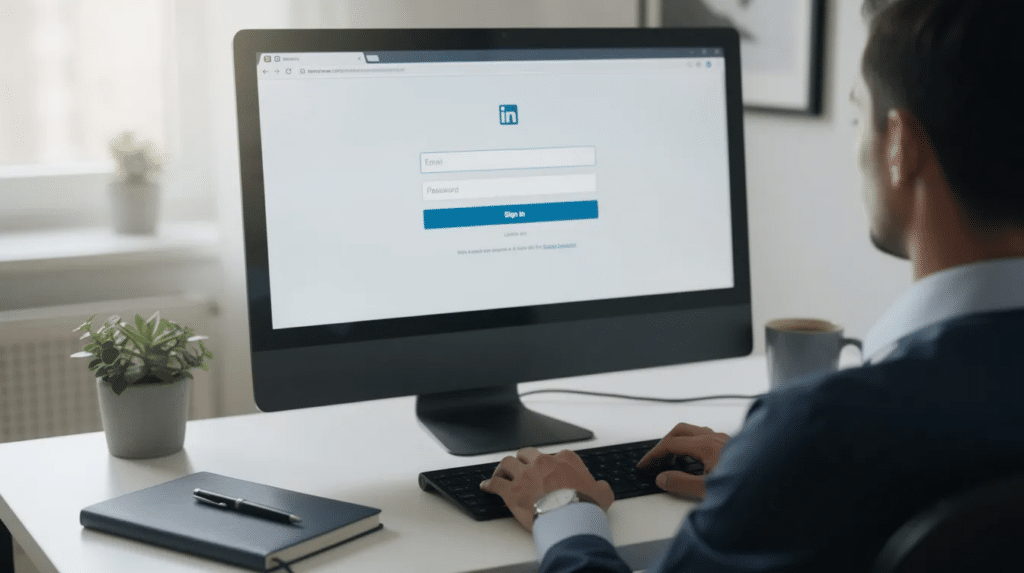
Creating a LinkedIn page is free for all users. Here is the process:
Step 1: Log in to your personal LinkedIn account on desktop. On the LinkedIn homepage, click the “For Business” icon in the top navigation bar and select “Create a Company Page.”
Step 2: Choose your page type. Select company for most small and mid-sized businesses. LinkedIn also offers a showcase page (for highlighting a specific product line or sub-brand) and an educational institution page (for schools and training organizations). Most SMBs need the standard company option.
Step 3: Enter your page identity details. Fill in your official company name, set your LinkedIn public URL (e.g., linkedin.com/company/your-brand), add your website, and select your industry, company size, and company type. This custom URL should be clean and match your brand name.
Step 4: Upload your logo and cover image in JPG or PNG format. You must upload a logo sized 400 x 400 pixels. Confirm cropping looks correct on both desktop and mobile previews. Add your tagline: this short line appears directly under your company name and should communicate your core positioning.
Step 5: Tick the verification box confirming you are authorized to represent the organization. Then click Create Page to publish. Your main page is now live.
You can create a page using the desktop or iOS app. On mobile, tap Create under the business menu. However, image cropping and field editing are more reliable on desktop, so use that for initial setup and reserve mobile for quick updates.
Completing Your Company Details for Maximum Credibility
LinkedIn prompts you to complete your page with a progress indicator. Pages with all fields filled consistently outperform those left partially blank. Complete LinkedIn pages receive 30% more weekly views, a straightforward return on a small time investment.
Key fields to complete:
- Location: Street address or city, plus additional operating locations if relevant
- Founded year: Adds longevity and trust signal
- Company size band: Helps LinkedIn surface your page to relevant audiences
- Specialties: Choose 5–10 terms your target audience actually searches for. Use specific service names like “B2B email marketing” or “local SEO services” rather than vague descriptors like “innovative solutions”
- Contact info: Email, phone (if appropriate), and website link
Ensure your company name, URL, and description are consistent across your website, Google Business Profile, and other directories. Discrepancies erode trust and confuse search engines.
For businesses with multiple locations, list additional operating locations only if you genuinely serve those areas. If clarity is more important than coverage, a single headquarters listing with a note about service area works better.
Writing a High-Converting About Section for Your LinkedIn Company Page
The about section is the first substantial text most visitors read. Creating a keyword-rich about section helps potential customers find your business through both LinkedIn search and external search engines.
Structure it in this order:
Start with who you serve. Name the audience directly: industry, company size, or role. Follow with what problems you solve, framed in terms the reader recognizes from their own experience. Then explain how you do it differently: your method, framework, or approach. Include concrete social proof; something like “Since 2018, we’ve helped over 150 local service businesses improve their search rankings by 60% on average” carries more weight than “we’ve helped many clients.” Close with a clear next step: what the visitor should do (visit your website, request a consultation, follow the page).
Weave in primary keywords naturally. If you are a bookkeeper in Chicago, the phrase “local bookkeeping services in Chicago” should appear where it fits the narrative, not where it disrupts it.
Keep the tone clear, jargon-light, and focused on outcomes. Revisit the about section annually, or whenever your services, markets, or positioning shift, and ensure it stays aligned with your website’s about page.
Visual Branding: Logo, Banner, and Media That Fit the LinkedIn Feed
Using a clear logo and professional cover image makes a strong first impression. The recommended logo size for a LinkedIn page is 400 x 400 pixels, saved as PNG or JPG. Avoid transparent backgrounds, which can render poorly on some devices.
Your cover image (approximately 1128 x 191 pixels) should use a simple layout with high contrast. Place any text or key visual elements toward the center to survive cropping on mobile. Show your team, your workspace, or your product: real imagery outperforms generic stock for small service businesses. Avoid cluttered collages.
Beyond static images, add featured media to your page: a short explainer video, a service overview PDF, or a case study document. These evergreen assets give visitors substance beyond the about section and signal that the organization invests in how it communicates what it offers.
Optimizing Your LinkedIn Company Page for Search (LinkedIn + Google)
LinkedIn company pages are indexed by search engines. They frequently rank for brand-name queries and can surface for service-related searches when keyword usage is deliberate.
Identify 3–5 core keyword themes for your business. These combine service, audience, and location, something like “IT support for dental practices in Texas” or “B2B content marketing for SaaS startups.” Use these themes across your tagline, about section, specialties, and service descriptions.
Consistent NAP data (name, address, phone) across LinkedIn, your website, and Google Business Profile helps search engines connect your LinkedIn page to your main domain. This matters especially for local businesses where directory consistency influences local search rankings.
Utilizing a custom call-to-action button on your page can direct traffic effectively toward conversion goals, whether that is “Contact Us,” “Learn More,” or “Visit Website.” Choose the one that aligns with your primary business goals.
Update keywords annually. As your company’s offerings evolve or you enter new markets, your LinkedIn presence should reflect those changes rather than remain a static artifact of the year you set it up.
Content Strategy for Your LinkedIn Business Page
Companies should post consistently to increase visibility and engagement on LinkedIn. Companies posting weekly see roughly 2× the engagement of less-active pages. Post at least once per day to maintain visibility if capacity allows, though for most small businesses a realistic floor is 1–3 posts per week sustained over at least six months. Pairing this cadence with a broader social media marketing plan keeps LinkedIn posting aligned with your other channels.
Core content types that perform well from a company page:
- Educational posts: Tips, frameworks, and industry explanations rather than promotions
- Short case studies: Specific outcomes from real client work
- Behind-the-scenes process explainers: How your team solves problems
- Text + image tips: Quick, scannable insights
Combining rich media formats can generate higher engagement rates than plain text posts. Native documents, carousels, and short videos consistently outperform plain link posts. Video posts generate 1.4 times more engagement than other formats. Links should support the post narrative rather than replace it.
Educational content should focus on tips, insights, and industry explanations rather than promotions. Build 3–4 recurring post formats, something like “Friday Quick Tip” or “Monthly Metrics Insight,” and schedule them through a simple content calendar to avoid last-minute scrambling.
Growing Your Audience: Followers, Employees, and Community
Organic reach from a LinkedIn company page is modest by design. The algorithm favors personal profiles, so growth takes deliberate effort and realistic expectations.
Do not begin inviting connections to follow until the page has at least 3–5 solid posts and a complete profile. First impressions shape whether someone follows or moves on.
Employee advocacy is the highest-leverage growth tactic available. Employees have 10 times more connections than company pages. Pages with engaged employees reach more users than passive followers alone. Encouraging employees to engage with your page broadens organic reach in ways that no amount of posting from the company account can replicate. These same principles carry across platforms; see our roundup of social media best practices for engagement for tactics that transfer beyond LinkedIn.
For small teams, keep advocacy simple: a monthly share pack containing recent post links, suggested captions, and image assets that staff can adapt in their own voice. Avoid identical copy-paste messaging; personal touches perform better.
Responding promptly to comments builds active community engagement. Use your company page to comment meaningfully on relevant posts from industry peers, answer questions in your niche, and share information that adds value beyond your own content.
In the first 6–12 months, focus more on profile visits, engagement rate, and inbound messages than on follower count. These signals tell you whether visitors are engaging with what they find, not just whether they clicked “follow.”
Ongoing Management and Analytics for Your LinkedIn Company Page
A LinkedIn company page is not a launch project. It is infrastructure that requires maintenance, the same way a website or email list does.
Assign admin roles deliberately. LinkedIn allows super admin and content admin designations. Distribute responsibility so the page is not dependent on a single person. Use two-factor authentication and verify who has posting and editing access.
Monthly review routine:
- Check follower growth trends
- Identify top 3 posts by engagement and profile visits
- Review click-throughs to your website from the CTA button and posts
- Note any inbound messages or inquiries that originated from LinkedIn
Using analytics to track engagement rates and follower growth is vital for refining strategy, a principle covered in more depth in our guide to social media metrics that drive business growth. If case studies or video posts consistently outperform text-only updates, shift your content mix accordingly. Retire topics or formats that underperform after a fair testing period.
Quarterly refreshes:
- Revisit the about section for accuracy
- Update the cover image if it has become stale
- Refresh featured media (videos, documents)
- Confirm specialties, services, and company details reflect current positioning
Optimize your page not once but continuously. Treat your LinkedIn business page as a core owned asset within your broader small business marketing system. It connects to your website, your SEO presence, your employer brand, and your content distribution. The setup takes ten minutes. The value compounds over months and years of consistent, informed management.
