

Supercharge Your Small Business Website: Speed Secrets for More Conversions
Just one second of delay in loading can cost you up to 20% in conversions, making website speed a powerhouse for boosting your small business revenue and keeping customers happy. This focus on small business website speed enhancement is crucial for online success.
Studies show that a single second added to your page load time can chop conversion rates by as much as 20%. When your pages load faster, users have a better experience, stick around longer, and are more likely to convert. – Kissmetrics, “How Loading Time Affects Your Bottom Line” (2011)
How Page Speed Fuels User Experience and Drives Conversions
This research clearly highlights why website speed is a game-changer for small businesses, directly impacting both customer satisfaction and your bottom line. Effective small business website speed enhancement is not just a technical task but a strategic business imperative.
This guide is packed with actionable strategies to pinpoint performance issues, fine-tune your Core Web Vitals, deploy proven speed-boosting tactics, and keep your site flying fast. You’ll learn:
- Why speed is king for user experience, SEO, and conversions
- How Core Web Vitals measure your site’s loading, interactivity, and stability
- The top tools for spotting bottlenecks and common culprits
- Step-by-step optimization methods, from image compression to choosing the best CDN
- How to keep your speed sharp with ongoing monitoring and real-world success stories
Implementing these techniques won’t just make your brand look more authoritative; it’ll also set you up for better search rankings and steady business growth.
Why Website Speed is a Must-Have for Small Businesses
Website speed is all about how quickly your pages become fully interactive for your visitors. Optimizing this process directly translates to better engagement and more sales. Speedy load times slash bounce rates by making your site feel more reliable, boost your search engine visibility through Google’s page experience signals, and speed up lead generation by removing frustrating delays. Ultimately, great performance benefits both your users and your profits. Focusing on small business website speed enhancement is key to achieving these benefits.
Getting a handle on performance naturally leads to understanding the specific Core Web Vitals metrics that Google prioritizes for rankings.
How Does Website Speed Affect User Experience and Bounce Rate?
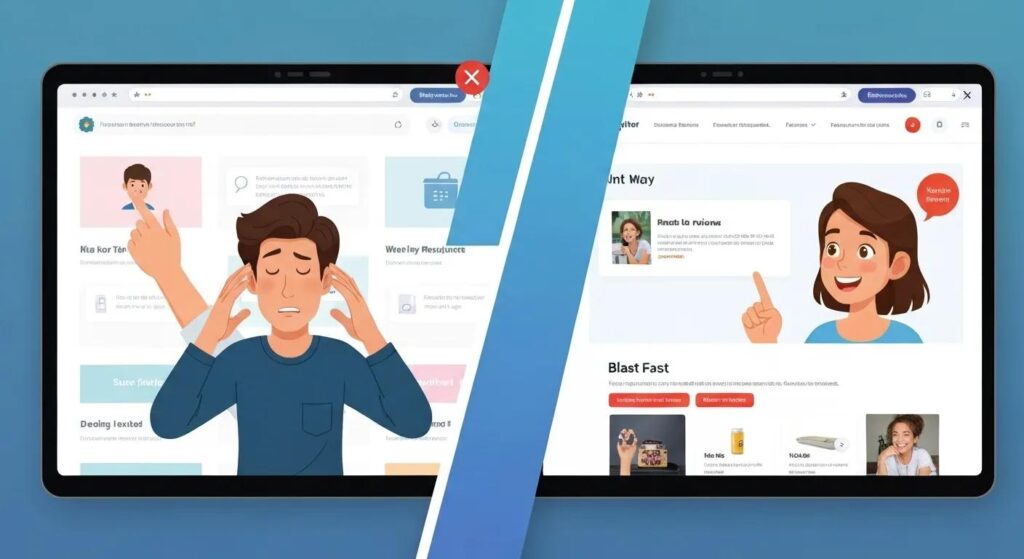
Your website’s speed is a direct reflection of its reliability and how satisfied users will be. Slow pages frustrate visitors, and every extra second of load time can increase your bounce rate by an average of 32 percent. When your pages load and become interactive quickly, users are more likely to explore further, reducing abandonment and opening the door for conversions.
This strong connection between user experience and search visibility underscores why optimizing for SEO rankings is the next crucial step.
What’s the Link Between Prioritizing Performance and Rankings?
Website speed is a direct ranking factor for Google, thanks to Core Web Vitals and page experience signals. Faster load times help search engines crawl your site more efficiently, improve your lab and field data scores, and can even help you snag featured snippet opportunities. By making performance a priority, small businesses can climb the search engine results pages (SERPs) and attract more targeted organic traffic.
Better SEO performance means more qualified visitors who are ready to buy, directly linking speed to revenue growth.
How Does Faster Loading Boost Conversion Rates for Small Businesses?
Speedier websites create a smoother path to purchase, significantly reducing friction at every step of the customer journey. For instance, sites that load in under a second can see conversion rates as high as 39 percent, a stark contrast to the single-digit percentages for slower sites. Enhanced speed builds trust, encourages repeat visits, and ultimately drives more revenue per visitor.
These conversion wins emphasize the need for a data-driven understanding of key performance metrics, starting with Core Web Vitals.
What Key Website Speed Stats Should Every Small Business Know?
Understanding benchmark data is essential for prioritizing your optimization efforts. The following table breaks down critical performance statistics and their real-world business impact:
These statistics lay the groundwork for mastering Core Web Vitals definitions and the techniques to optimize them.
Benchmark Table: Average Load Times by Industry
Takeaway: Compare your own site’s load time against your industry’s average to see if you’re ahead of or behind the curve.
What Are Core Web Vitals and Why They’re Crucial for Small Business Websites
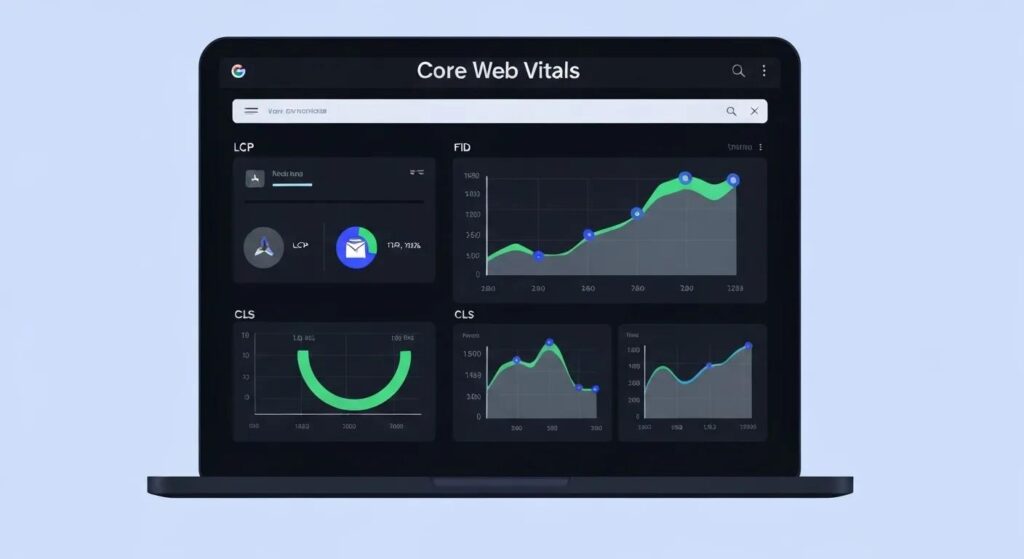
Core Web Vitals are Google’s standard performance metrics that gauge loading efficiency, interactivity, and visual stability, all vital for user satisfaction and search rankings. By focusing on LCP, INP, and CLS, small businesses can align their optimization efforts with the exact signals Google uses to rank pages, giving them a competitive edge in organic visibility. This is a cornerstone of effective small business website speed enhancement.
“In today’s fast-paced digital landscape, a slow website is a direct drain on your business’s potential. For small businesses, every millisecond counts, as it directly impacts user experience, search engine visibility, and ultimately, revenue,” says Jorge Leger, Founder and Digital Marketing Consultant at Astound Media.
What Is Largest Contentful Paint (LCP) and How Does It Affect Loading Performance?
Largest Contentful Paint (LCP) measures how long it takes for the most significant image or text block on your page to load. Improving LCP to under 2.5 seconds enhances the perception of speed, reducing bounce rates and building trust. Tactics like image compression and inlining critical CSS directly shorten LCP, delivering content faster and boosting user engagement.
How Does Interaction to Next Paint (INP) Measure Responsiveness?
Interaction to Next Paint (INP) tracks the time between a user’s action (like clicking a button) and the page’s visual response. Lowering INP to below 200 milliseconds creates a snappy, fluid experience that encourages users to explore, making navigation feel instant and cutting down on site abandonment for interactive pages.
What Is Cumulative Layout Shift (CLS) and Why Is Visual Stability Key?
Cumulative Layout Shift (CLS) quantifies unexpected visual movements that happen as a page loads, measured as a cumulative score. Keeping CLS below 0.1 ensures a stable viewing experience, preventing accidental clicks and frustrating content jumps. By avoiding late-loading ads or images and specifying size attributes for media, you eliminate layout shifts and keep users focused.
How Can Small Businesses Optimize Core Web Vitals for Better Rankings?
Boosting your Core Web Vitals involves targeted strategies:
- Optimize Images and Fonts by compressing assets and preloading essential resources.
- Enable Browser Caching and Use a CDN to serve content from servers closest to your users.
- Minify and Defer Scripts to prevent them from blocking page rendering.
- Define Size Attributes for media elements to prevent disruptive layout shifts.
Implementing these actions leads to measurable improvements in Google’s page experience assessment, boosting both your rankings and user engagement.
How Small Businesses Can Test and Diagnose Website Speed Issues
Effective speed optimization starts with accurate measurement and diagnosis. Small businesses should use tools that provide both lab and real-user data, pinpoint performance bottlenecks, and guide remediation efforts. A thorough audit process turns raw metrics into clear, actionable insights for small business website speed enhancement.
What Are the Top Tools for Checking Website Speed for Small Businesses?
Small businesses can count on these reliable tools:
- Google PageSpeed Insights offers lab and real-user metrics, along with prioritized recommendations.
- GTmetrix provides waterfall charts that break down load order and resource sizes.
- Pingdom monitors uptime and response times, offering performance grades.
Each tool sheds light on different aspects of speed, allowing for a comprehensive performance diagnosis.
Speed Tool Selection Framework
When testing your site speed, choose the right tool for the job:
- Google PageSpeed Insights → Best for Core Web Vitals monitoring and Google ranking signals.
- GTmetrix → Best for waterfall breakdowns and identifying heavy scripts or large images.
- Pingdom → Best for uptime tracking and simplified performance grades.
- WebPageTest → Best for advanced testing like different locations, browsers, and throttled connections.
Pro Tip: Use at least two tools in combination (e.g., PageSpeed + GTmetrix) for a complete view of your performance.
How to Effectively Interpret Google PageSpeed Insights Reports
Understanding PageSpeed Insights involves grasping three key sections:
- Lab Data shows performance under simulated conditions and provides metric scores.
- Field Data reflects actual user experiences gathered from Chrome users.
- Opportunities and Diagnostics list prioritized fixes with estimated time savings, such as “reduce unused CSS” or “serve images in next-gen formats.”
Focusing on the high-impact opportunities in each section will accelerate your performance improvements.
What Are the Usual Suspects for Website Speed Bottlenecks?
Diagnosing bottlenecks means identifying resource-heavy elements and slow server responses. Common issues include:
Addressing these common bottlenecks provides a solid foundation for targeted optimization efforts.
Proven Techniques to Optimize Website Speed for Small Businesses
Implementing best-practice performance enhancements involves a smart mix of asset optimization, caching strategies, code minification, and infrastructure upgrades. Each technique works to shave off milliseconds from your load times and boost user satisfaction. This section details key strategies for small business website speed enhancement.
How Can Image Optimization Speed Up Your Website?
Image optimization includes:
- Compression to reduce file size without sacrificing quality.
- Using Next-Gen Formats like WebP or AVIF for smaller file sizes.
- Implementing Lazy Loading to only load images that are visible in the viewport.
- Serving Responsive Images that are appropriately sized for different devices.
By refining how images are delivered, small businesses can significantly lower LCP and data usage, enhancing the mobile user experience.
How Does Leveraging Caching Boost Website Performance?
Implementing caching at various levels speeds up repeat visits and reduces the load on your origin server:
- Browser Caching stores static files locally on a user’s device for faster access on return visits.
- Server-Side Caching saves pre-rendered pages to serve them instantly without needing database queries.
- Content Delivery Network (CDN) distributes your assets across multiple global servers for rapid delivery to users worldwide.
Effective caching strategies can cut average load times in half and help your site scale smoothly during traffic surges.
Why is Minifying CSS, JavaScript, and HTML Crucial for Speed?
Minification removes unnecessary characters, like comments, whitespace, and redundant code, from your asset files. Smaller file sizes mean quicker HTTP requests and faster FCP and LCP. Combining minification with gzip or Brotli compression further shrinks resources, ensuring faster transmission and rendering.
How to Choose the Right Hosting and CDN for Faster Website Delivery?
Selecting the right hosting and CDN involves considering:
- Uptime and Server Response Guarantees (e.g., a 99.9% Service Level Agreement).
- Global Edge Network Coverage with servers located in your target markets.
- User-Friendly Performance Monitoring within the dashboard and easy SSL integration.
- Scalable Plans that can handle sudden increases in traffic.
A dependable hosting provider and a global CDN partner are the bedrock of consistent, low-latency website performance.
What Mobile-First Design Strategies Can Boost Mobile Speed?
Mobile-first design focuses on streamlined layouts and efficient resource loading for smaller screens:
- Adaptive Images that load smaller, lower-resolution versions on mobile devices.
- Critical CSS Inlining for faster rendering of content visible above the fold.
- Touch-Friendly Interactions that require minimal JavaScript overhead.
- Performance Budgeting to set limits on total asset file sizes.
These tactics ensure fast, responsive experiences for the majority of users browsing on their smartphones.
What Advanced Speed Tips Can Further Enhance Website Performance?
For even greater speed improvements, small businesses can:
- Defer Non-Critical JavaScript to load after the main content has rendered.
- Implement HTTP/2 or HTTP/3 for more efficient, multiplexed connections.
- Enable Gzip or Brotli Compression on server responses.
- Use Prefetching and Preloading to anticipate user navigation and load resources ahead of time.
Combining advanced protocols with strategic resource hints delivers incremental gains in both Core Web Vitals and overall website speed.
How Small Businesses Can Maintain and Monitor Website Speed Over Time
Consistent monitoring ensures that your performance gains stick around as your website evolves and content grows. Establishing a regular audit schedule and staying informed about new developments will keep your site running at its best. This ongoing effort is vital for sustained small business website speed enhancement.
What Are the Best Practices for Regular Website Performance Audits?
Adopt a quarterly audit routine that includes:
- Checking Core Web Vitals in Google Search Console.
- Running automated performance tests using Lighthouse CI.
- Reviewing waterfall reports from tools like GTmetrix or Pingdom.
- Tracking overall bounce rate and page-speed trends.
Consistent auditing helps catch performance dips early and keeps your optimization efforts on track.
How to Stay Current with Web Development Trends and SEO Algorithm Changes?
Keep up with authoritative sources and industry communities:
- Google Search Central Blog for official algorithm updates and news.
- Web.dev for expert guidance on performance best practices.
- SEO industry newsletters for insights into page experience shifts.
- Performance conferences and webinars to learn about emerging techniques.
Continuous learning ensures your optimization strategy stays aligned with the latest requirements and best practices.
How Small Businesses Can Leverage Website Speed Optimization for a Competitive Edge
Faster performance not only delights customers but also sets your brand apart in both local and global markets. Speed-optimized sites outrank competitors, keep visitors engaged longer, and generate more leads, delivering a clear return on your optimization investment. This competitive advantage is a direct result of prioritizing small business website speed enhancement.
What Are Real-World Examples of Small Businesses Boosting Conversions Through Speed?
Local service providers and niche e-commerce stores have reported ROI increases of 20–50 percent after implementing targeted speed improvements. For example, one boutique retailer reduced its LCP from 4 seconds to 1.8 seconds and saw a 35 percent jump in add-to-cart rates, clearly demonstrating the direct link between load time and sales.
These success stories show how optimizing Core Web Vitals can lead to tangible business results.
How Does Website Speed Optimization Support Local SEO and Customer Acquisition?
Faster pages improve the mobile experience for users searching on the go, boosting visibility in local search results and map integrations. Enhanced speed also increases click-through rates from search results, driving more qualified traffic that converts into appointments, orders, or inquiries for local businesses.
These local SEO gains highlight why consistent performance monitoring is essential for sustained growth.
How Can Astound Media Help Small Businesses Tackle Website Speed Challenges?
Astound Media provides in-depth performance audits, custom optimization plans, and implementation support designed for small business budgets and technical capabilities. By partnering with our experts, you gain access to advanced caching setups, efficient image compression pipelines, and ongoing monitoring solutions that guarantee lasting speed improvements.
Engaging our services offers a fast track to better search rankings, lower bounce rates, and improved conversion metrics.
Common Questions About Small Business Website Speed Optimization
Small business owners often ask about the urgency, frequency, and ease of use of speed optimization tools. Addressing these questions clarifies the path to sustained performance gains without requiring deep technical expertise. Understanding these aspects is key to successful small business website speed enhancement.
Why Is Website Speed More Critical for Small Businesses Than Ever Before?
Website speed has become a decisive factor as customer expectations climb and competition intensifies. Fast-loading sites not only secure higher search rankings but also build trust, delivering the seamless experience that today’s users expect on both desktop and mobile devices.
Emphasizing this urgency sets the stage for an effective testing and auditing cadence.
How Often Should Small Businesses Test and Update Their Website Speed?
Regular evaluations, ideally on a quarterly basis, ensure performance remains optimal after site updates or content additions. Key events, such as theme changes or plugin installations, should trigger immediate retesting to prevent any dips in load times or user experience.
A disciplined testing schedule preserves your speed gains and SEO benefits.
What Are the Most User-Friendly Tools for Non-Technical Small Business Owners?
For those with limited technical backgrounds, the following tools offer intuitive interfaces and clear guidance:
- Google PageSpeed Insights provides actionable suggestions in straightforward language.
- GTmetrix offers visual waterfall charts with easy drag-and-drop testing capabilities.
- Pingdom delivers simplified performance grades and uptime alerts.
These solutions empower owners to monitor speed without needing coding skills and facilitate productive conversations with development partners.
How Does Website Speed Affect Mobile Users Differently?
Mobile users often contend with variable network conditions and limited bandwidth, making optimized resource delivery absolutely essential. Techniques like adaptive image sizing, service worker caching, and lean JavaScript bundles reduce data usage and loading delays, creating seamless mobile experiences that drive engagement and conversions.
Mobile-first optimization is therefore a core component of your overall speed strategy and revenue growth.
Fast, dependable websites are the bedrock of successful online customer journeys. Small businesses that prioritize speed gain lasting advantages in SEO, user satisfaction, and conversions. Partner with Astound Media to implement these proven strategies and maintain peak performance while you concentrate on growing your business. Elevate your site’s speed today to unlock better search rankings, lower bounce rates, and higher revenue per visitor.
About the Author
Jorge Leger is the Founder of Astound Media, a leading digital agency in New York committed to helping organizations thrive through innovative web design and digital marketing. As a Digital Strategist and Marketing Consultant with more than a decade of expertise in WordPress, SEO, and automation, Jorge partners with mission-driven groups, small businesses, and nonprofits. He has a proven track record in delivering result-driven digital solutions that enhance online presence and support sustainable growth. Connect with Jorge on LinkedIn
