

Top Easy CMS Choices for Small Business Websites: User-Friendly Platforms and Practical Guides
Selecting the right content management system is fundamental for a small business’s online success, dictating how quickly and effectively you can share your products, services, and updates. In this guide to easy-to-use CMS options, we’ll break down what a CMS is, why intuitive interfaces are vital for entrepreneurs, review top platforms like WordPress, Wix, Shopify, and Squarespace, explore advanced open-source and headless alternatives, pinpoint essential features for SEO, security, and growth, provide a step-by-step method to match a CMS to your specific goals and budget, and highlight emerging trends for 2025. By focusing on real-world examples and clear comparisons, this article equips small business owners with limited tech skills or budgets to choose and implement the best CMS for small businesses, and tap into Astound Media’s marketing expertise when it’s time to scale.
What Is a CMS and Why Is Simplicity Key for Small Business Websites?
A content management system (CMS) is software that lets you create, manage, and publish digital content without needing to code. By separating your content from its design, a CMS makes updating your website quick and keeps your branding consistent. For a local shop or a new service provider, this means managing pages, blog posts, and product galleries through a simple dashboard instead of complex custom development.
An easy-to-use CMS cuts down on setup time, lowers ongoing maintenance costs, and reduces the need for specialized tech support. Small business owners gain the freedom to adjust prices, add new offerings, and launch promotions in minutes, not days. Understanding these advantages leads us to review the most user-friendly platforms that enable rapid deployment and hands-on control.
What Does a CMS for Small Business Owners Mean?
For small business owners, a CMS means having a central hub where you can draft pages, upload images, and set up menus without needing technical skills. This removes the hurdle of manual coding and server management. For instance, adding a new page or product category can be done through a guided process, directly boosting your online presence and sales potential.
By simplifying content updates, a CMS enhances brand consistency and reduces reliance on outside developers. This operational ease sets the stage for business growth and smooth integration with marketing campaigns that Astound Media’s team can support.
Why is a User-Friendly CMS crucial?
An intuitive CMS interface saves valuable time by eliminating steep learning curves and complicated workflows. When you can drag and drop content elements, preview changes instantly, and use pre-built templates, your productivity skyrockets. These platforms often come with pre-configured SEO settings, responsive designs, and marketplaces for plugins that address common marketing needs without requiring code.
Reducing technical hurdles allows entrepreneurs to concentrate on engaging customers and driving sales. This focus on usability naturally leads us to explore which specific platforms offer the best balance of simplicity and powerful features.
“For small businesses, the right CMS isn’t just about building a website; it’s about empowering owners to adapt, innovate, and connect with their customers without getting bogged down by technical complexities. That agility is a game-changer.” – Jorge Leger, Founder and Digital Marketing Consultant at Astound Media
How Do Easy-to-Use CMS Platforms Fuel Small Business Growth?
User-friendly CMS platforms speed up your time to market by providing visual editors, one-click publishing, and built-in analytics. This allows for quick A/B testing of landing pages, streamlined blog publishing for content marketing, and simple product listings for e-commerce. As a result, small businesses gain the agility to react to market shifts and customer feedback within hours.
By lowering the barriers to entry, these systems encourage regular content updates, which boost search visibility and build customer trust. With this foundation established, the next section compares the top easy-to-use CMS platforms for small business websites.
Which Are the Top User-Friendly CMS Platforms for Small Business Websites?

Small business owners who prioritize ease of use, customization, and marketing integrations will find four leading platforms: WordPress, Wix, Shopify, and Squarespace. Each offers an intuitive interface combined with templates, extensions, and support designed for entrepreneurs without extensive technical backgrounds. The following sections detail what makes each option stand out and how they support SEO, e-commerce, and brand presentation, making them ideal for small businesses’ needs.
What Makes WordPress a Versatile CMS for Small Businesses?
WordPress is an open-source CMS celebrated for its vast plugin ecosystem and extensive theme library. With thousands of plugins, you can add SEO optimization tools, social sharing features, and online store capabilities without writing code. This flexibility supports everything from blogs and portfolios to e-commerce with WooCommerce integration.
- Plugin Ecosystem allows for custom features like contact forms, SEO metadata controls, and caching enhancements.
- Theme Flexibility provides responsive designs suitable for service businesses, portfolios, and online stores.
- Community Support offers abundant documentation, forums, and tutorials to guide small businesses through setup and troubleshooting.
These strengths combine to create a scalable and SEO-friendly environment, preparing small businesses for more advanced marketing efforts.
How Does Wix Simplify Website Building with Drag-and-Drop Tools?
Wix is a cloud-based CMS featuring a drag-and-drop editor that lets you arrange text, images, and elements on a blank canvas. This approach breaks free from template limitations, offering complete design freedom while providing over 800 professionally designed layouts to start with.
Key advantages include:
- A visual editor that shows instant previews of your changes before you publish.
- Integrated marketing tools such as email campaigns, social media connections, and appointment booking.
- All-inclusive hosting and SSL security are managed automatically.
Since Wix handles updates and security, entrepreneurs without dedicated tech teams can focus on running their business. This simplicity leads us to explore why Shopify excels in online sales.
Wix and Other Website Builders: Limitations and Capabilities… website builders, Dorik, Relume, and Wix [6]. Palmer and Oswal further argued that the websites generated by website builders … ability to natively map drag-and-drop components to raw …Beyond Code: Tackling Limitations in Website Builders with Sketch-to-Code and Alternative Tools.
– Unknown Author, 2025
Why Is Shopify Ideal for Small Business E-Commerce?
Shopify is a specialized e-commerce platform that consolidates product management, secure checkout, and inventory tracking into a single interface. By managing payment processing, PCI compliance, and hosting, Shopify allows merchants to concentrate on fulfilling orders and marketing their products.
Core e-commerce features include:
- Unlimited product listings with options for variations like size, color, and pricing.
- Integrated payment gateways supporting credit cards, digital wallets, and local payment methods.
- Sales analytics and marketing automation tools for recovering abandoned carts and running discount campaigns.
This ready-to-go approach to online selling empowers small businesses to launch stores quickly and scale as demand increases, without complex technical setups.
How Does Squarespace Offer Visually Stunning Websites for SMBs?
Squarespace is an all-in-one platform that prioritizes design excellence with award-winning templates and a unified styling system. Small businesses in creative fields or service industries can showcase portfolios, galleries, and service pages with minimal effort.
Distinctive features include:
- A curated template library with designs optimized for mobile and high-resolution displays.
- Built-in modules for blogging, appointment scheduling, and e-commerce for complete site management.
- SEO controls for page titles, meta descriptions, and automatic XML sitemaps.
By combining elegant design with integrated hosting and security, Squarespace lowers the barrier to a professional online presence before businesses outgrow template-based solutions.
When Should Small Businesses Consider More Flexible or Advanced CMS Options?
As businesses grow or require custom workflows, more adaptable open-source or headless CMS options become appealing. While these platforms offer greater control over functionality and integrations, they also demand a higher level of technical expertise and ongoing maintenance.
What Are the Benefits and Challenges of Joomla and Drupal for SMBs?
Joomla and Drupal are open-source frameworks that allow for extensive customization for complex websites, but come with steeper learning curves. The table below compares their main trade-offs:
What Is Headless CMS and How Can It Future-Proof Small Business Websites?
A headless CMS separates content management from the website’s front-end presentation, delivering content via APIs to any chosen framework. This enables omnichannel publishing to mobile apps, digital displays, and static site generators while centralizing editorial tasks.
For example, Strapi or Contentful provide structured content that marketing teams manage in a unified dashboard, while developers build custom front-end experiences. This architecture promotes future scalability and rapid integration with new technologies.
Strapi: Intuitive Headless CMS with API-First Approach. As an example, Strapi is a headless CMS platform, but its focus is on being “API-first” while allowing for an “intuitive” admin panel [14]. Part of the “intuitive” admin panel consists of …Integrating Social Media Functionality into a Headless CMS: A Unified Approach to Content Management and Publishing Workflows.
– Unknown Author, 2025
When Is Headless CMS the Right Choice for Growing Small Businesses?
Headless CMS becomes a strong contender when a business needs:
- To deliver content across multiple channels like web, mobile, and IoT devices.
- Custom front-end experiences that go beyond standard template designs.
- API-first integrations with CRM, marketing automation, and analytics platforms.
When technical expertise or development resources are available, this approach allows small businesses to create unique customer journeys and adapt to new channels without needing to migrate their content.
What Key Features Should Small Businesses Prioritize in a CMS for Small Businesses?
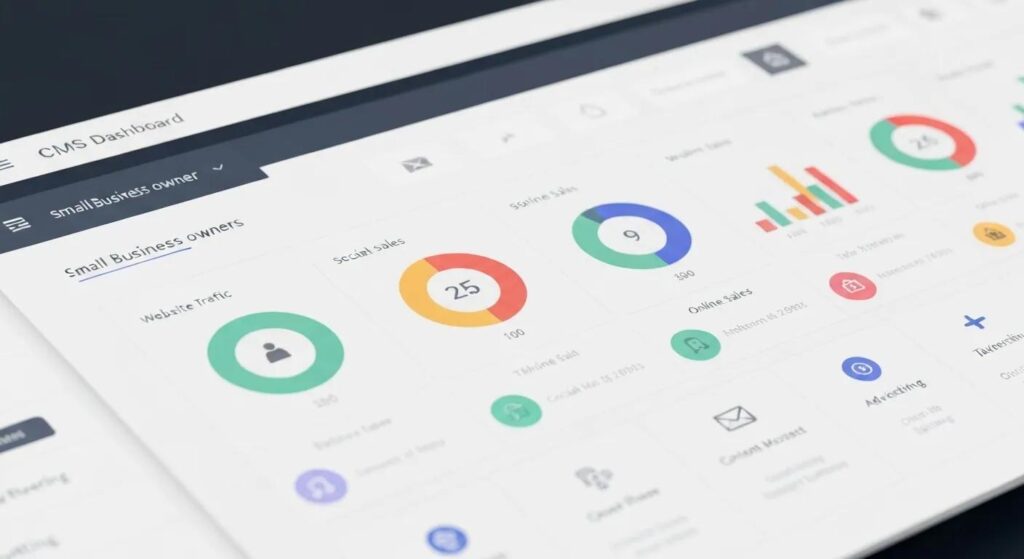
Not all CMS platforms are created equal when it comes to features that drive visibility, security, and growth. Prioritizing SEO-friendly tools, mobile responsiveness, reliable support, and flexible integrations ensures that your chosen CMS can meet your current needs and adapt to future demands.
How Can Small Businesses Choose the Best CMS for Small Businesses for Their Unique Needs?
Selecting a CMS should follow a structured decision process that considers your business objectives, technical capabilities, budget limitations, and growth projections. A clear evaluation process ensures the chosen platform aligns with both your immediate requirements and long-term goals.
What Business Goals Should Influence CMS for Small Businesses Selection?
Your business goals shape your CMS priorities:
- Online Presence & Branding requires strong design templates and flexible content options.
- E-Commerce Sales demands robust inventory management, secure payment processing, and effective storefront features.
- Content Marketing benefits from integrated blogging tools, SEO features, and analytics tracking.
Aligning your CMS with these objectives guarantees that its core functions support your strategic initiatives.
How Does Technical Expertise and Budget Affect CMS Choice?
Entrepreneurs with limited coding experience and tight budgets often choose all-in-one hosted solutions that include support and hosting in their monthly fees. Businesses with in-house developers can opt for open-source and headless architectures for greater customization and lower software licensing costs, making the choice of a CMS a critical one. Balancing these factors prevents overspending on features you don’t need.
What Checklist Helps Small Businesses Decide on the Right CMS?
Use this decision checklist to compare your options:
- Define your primary website purpose (e-commerce, blog, portfolio)
- Assess your team’s coding skills and capacity for maintenance
- Estimate the total annual cost of ownership, including hosting and any necessary plugins
- Verify the availability of support channels and clear documentation
- Confirm integration compatibility with your marketing, sales, and analytics tools
Following this checklist will help narrow down the field to the platform that best fits your unique mix of goals and resources.
What Are the Latest CMS Trends Impacting Small Business Websites in 2025?
The CMS landscape is constantly evolving with new features that help small businesses stay competitive. Staying informed about emerging trends guides your platform selection and long-term planning for website performance and customer engagement.
How is AI Enhancing CMS for Small Businesses for Personalized Websites?
AI-powered CMS features include automated content tagging, dynamic personalization of landing pages, image optimization, and predictive SEO suggestions. By analyzing user behavior and search data, AI modules can recommend blog topics, adjust page layouts based on visitor preferences, and streamline multilingual translations.
These intelligent features reduce manual effort and enhance user experience, reinforcing your brand’s relevance.
Why Is Mobile-First Design a Must-Have CMS Feature?
Mobile-first design prioritizes performance on smartphones by using lean code, adaptive images, and streamlined navigation. CMS platforms that are built with mobile-first templates ensure faster page loads, better accessibility, and higher engagement from visitors on the go. This design philosophy directly impacts search rankings and conversion metrics.
What Security Enhancements Are CMS Platforms Offering Small Businesses?
Recent security advancements include automatic vulnerability scanning, two-factor authentication for admin access, built-in DDoS protection, and automated SSL certificate provisioning. These measures guard against data breaches and downtime, protecting customer trust and SEO rankings. Adopting these protections future-proofs your site against evolving threats.
What Are the Most Common Questions About Easy CMS Options for Small Businesses?
Small business owners frequently inquire about platform simplicity, e-commerce capabilities, cost structures, hosting options, and SEO performance when choosing a CMS. Addressing these core concerns upfront clarifies expectations and speeds up the decision-making process.
What Is the Easiest CMS for Small Business Beginners?
For those with no technical background, Wix and Squarespace offer the most user-friendly experiences through drag-and-drop editors, guided setup processes, and pre-built templates. Their all-in-one hosting and maintenance solutions remove complexity, allowing owners to launch polished websites within hours without any coding.
Can Small Businesses Build E-Commerce Stores with Easy CMS Platforms?
Yes. Shopify is specifically designed for e-commerce with hosted store management, while WordPress, combined with the WooCommerce plugin, provides a flexible, cost-effective alternative. Wix and Squarespace also include integrated store features that support product catalogs, payment processing, and order management.
How Much Does an Easy CMS Typically Cost for Small Businesses?
Basic plans for hosted platforms start between $15 and $25 per month, covering hosting, templates, SSL, and essential features. Premium tiers with advanced marketing tools, custom domain support, and priority assistance can range from $30 to $60 monthly. Open-source systems like WordPress require separate hosting fees, typically $5 to $30 per month, plus optional premium plugins.
What Are the Differences Between Hosted and Self-Hosted CMS Options?
Hosted solutions bundle hosting, security, and updates into a single subscription, reducing maintenance effort. Self-hosted platforms offer complete control over server environments, plugin choices, and data location, but require manual updates, security monitoring, and hosting management. The choice between them depends on your technical capacity and customization needs for your CMS.
How Does WordPress Compare to Other CMS Platforms for Small Business SEO?
WordPress stands out for its powerful SEO plugin ecosystem, allowing detailed control over metadata, XML sitemaps, and schema markup. While Wix and Squarespace offer basic SEO tools, WordPress enables advanced optimization through specialized performance and redirection plugins. Shopify also provides built-in SEO settings, but it may involve transaction fees that impact marketing budgets.
Through these comparisons, small business owners can align platform strengths with their marketing priorities and growth strategies.
Armed with these insights, you can confidently select the CMS that matches your business goals, technical resources, and budget. Evaluating ease of use alongside essential features ensures your website establishes a strong online presence now and scales effectively with your growth ambitions. If you need expert assistance or advanced integrations, Astound Media’s team is ready to guide your implementation and marketing strategy.
About the Author
Jorge Leger is the Founder of Astound Media, a New York–based digital agency focused on helping organizations grow through web design and marketing strategy. With over 10 years of experience in WordPress, SEO, and automation, he collaborates with small businesses and nonprofits to create high-impact websites and campaigns. Jorge is passionate about empowering entrepreneurs to succeed online by demystifying digital complexities and providing actionable strategies. Connect with Jorge on LinkedIn.
